Remote logging
In order to enable remote logging for JiraSync builds, you just have to specifiy the syslogendpoint in the configuration.
This endpoint needs to accept JSON logging via HTTP(S) (e.g. OpenTelemetry collector, logstash, etc).
YAML
# example jira sync file
syslogendpoint: IP:PORT
serverfrom:
  host: something.atlassian.net
  projectkey: SMTG
  iscloud: true
  ...
The logging library behind this is logrus, this is the configuration and timestamp layout that the receiver needs to be able to process:
CODE
   - type: json_parser
     parse_from: body
     parse_to: attributes
     timestamp:
       parse_from: attributes.time
       layout_type: gotime
       layout: "2006-01-02T15:04:05.999999-07:00"
Example using the OpenTelemetry collector and SigNoz as frontend
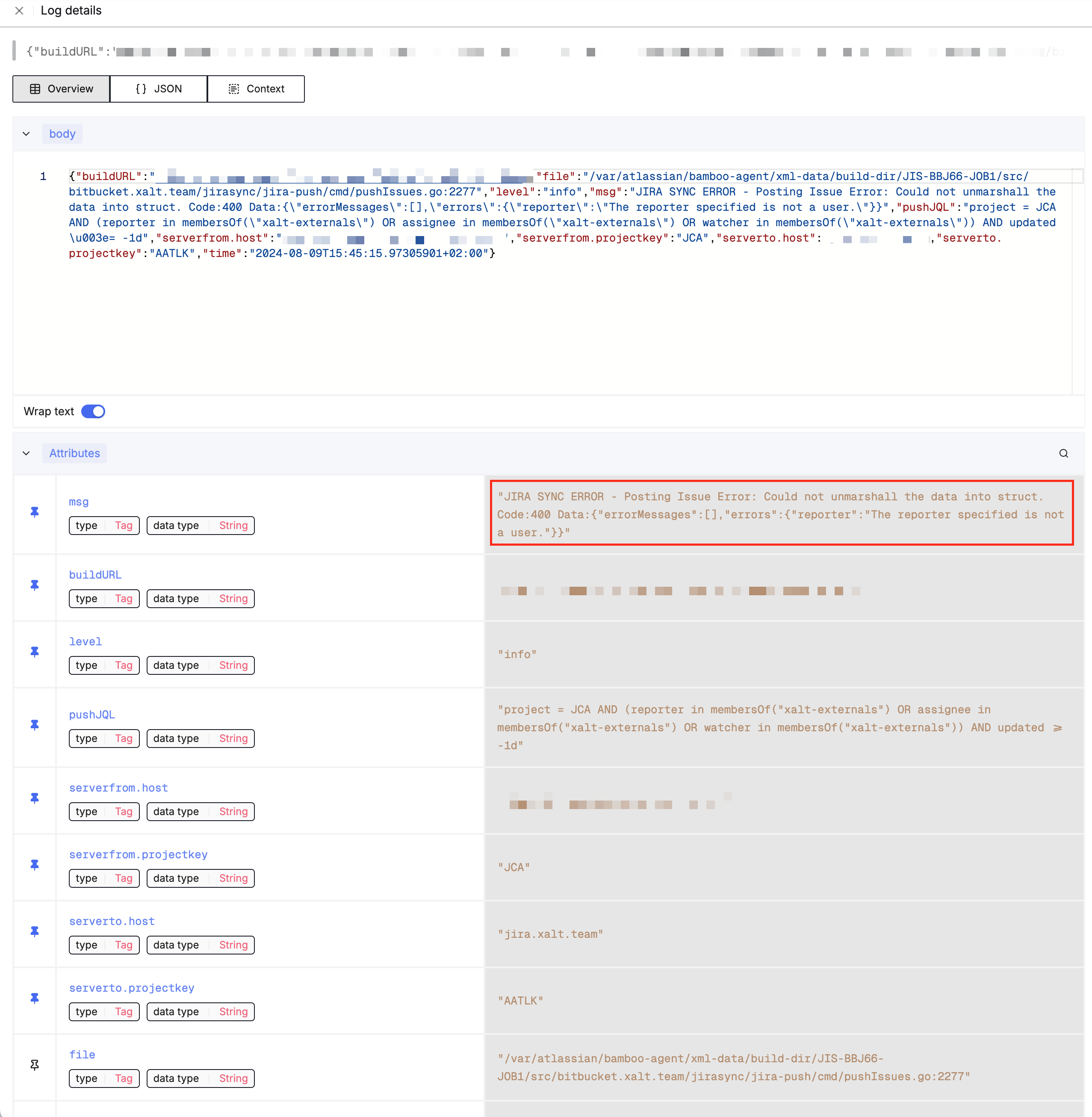

It’s easy to find JiraSync issues with SigNoz with the query level EXISTS msg CONTAINS ERROR From there just click on the log and you can directly copy the link to the failed build plan from there.
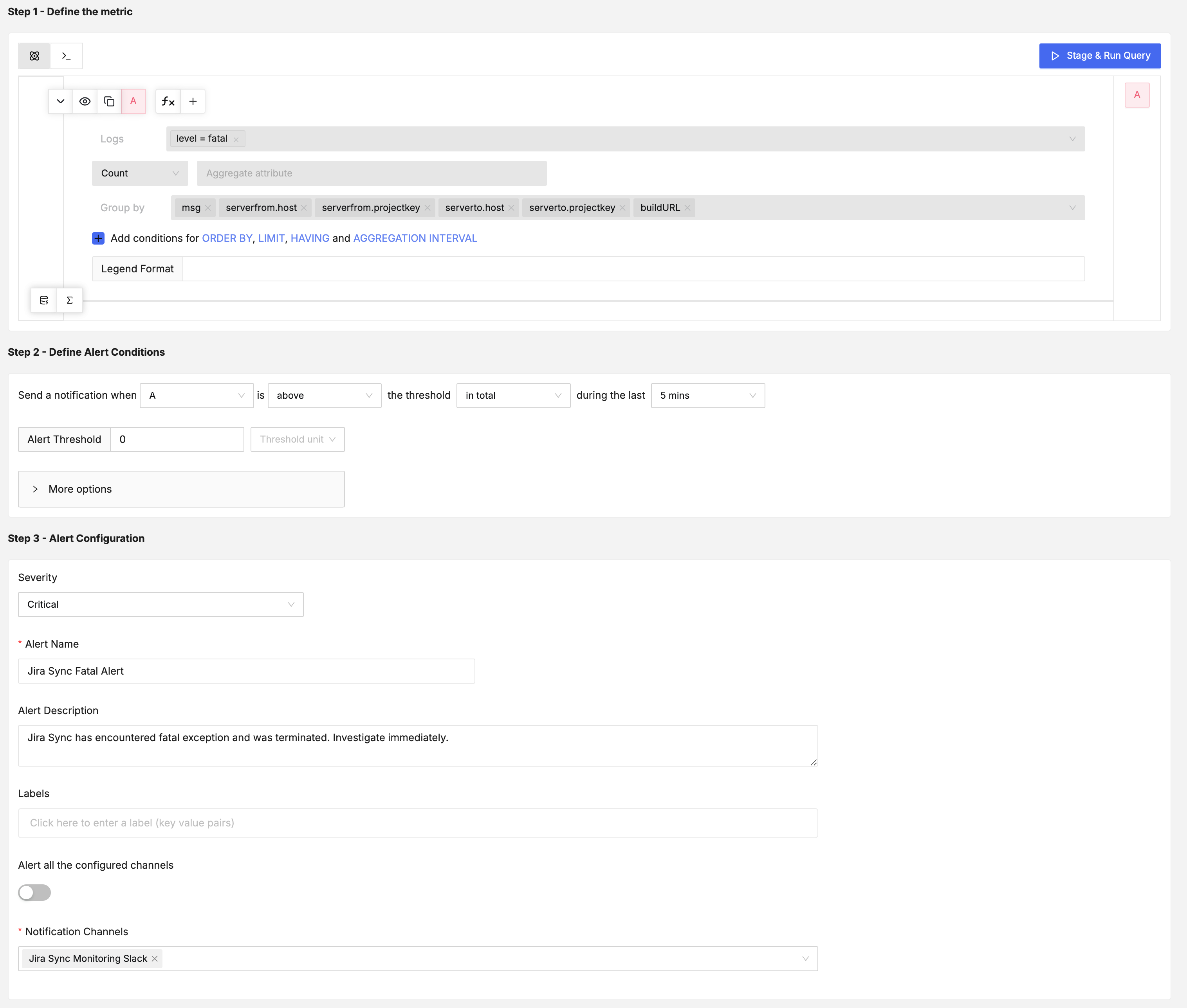
SigNoz Alerting Configuration
The following screenshots show a simple alerting configuration in SigNoz to alert in case of fatal or error logs (both should be added to cover all types of relevant log events)